1.Deployment Mysql5.7.44
1.1.Install .netFreamWork4.5.2(The specified version cannot installed in other versions)
https://dotnet.microsoft.com/zh-cn/download/dotnet-framework/net452
1.2.Install Windows 2008 R2 Service Pack 1
https://www.catalog.update.microsoft.com/Search.aspx?q=KB976932
1.3.Manually installing VC2019C++, it’s recommended to install the 2015-2019 collection, as direct installation is will to fail.
1.4.Normal installation of mysql5.7.44
2.Deployment Nginx
2.1.Download Nginx
http://nginx.org/en/download.html
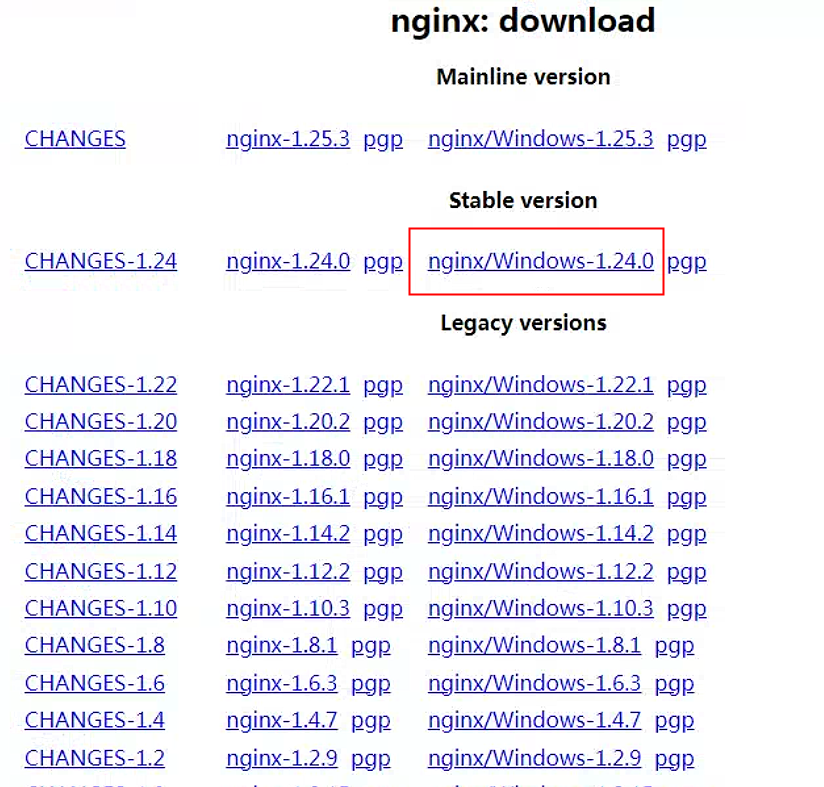
2.2.Unzip of download files
2.3.Run nginx.exe
2.4.configure nginx.conf
1
2
3
4
5
6
7
8
9
10
11
12
13
14
15
16
17
18
19
20
21
22
23
24
25
26
27
28
29
30
31
32
33
34
35
36
37
38
39
40
41
42
43
44
45
46
47
48
49
50
51
52
53
54
55
56
57
58
59
60
| worker_processes 1;
events {
worker_connections 1024;
}
http {
include mime.types;
default_type application/octet-stream;
sendfile on;
keepalive_timeout 65;
# my application cms
upstream cms {
server localhost:8080;
}
# file preview server
upstream filePreview{
server localhost:8012;
}
server {
listen 80;
server_name localhost;
location / {
proxy_pass http:
root ../cms/html/web;
index index.html index.htm;
}
location /mg/ {
proxy_set_header Host $http_host;
proxy_set_header X-Real-IP $remote_addr;
proxy_set_header REMOTE-HOST $remote_addr;
proxy_set_header X-Forwarded-For $proxy_add_x_forwarded_for;
proxy_pass http:
}
location /filePreview/ {
proxy_set_header Host $http_host;
proxy_set_header X-Real-IP $remote_addr;
proxy_set_header REMOTE-HOST $remote_addr;
proxy_set_header X-Forwarded-For $proxy_add_x_forwarded_for;
proxy_pass http:
}
error_page 500 502 503 504 /50x.html;
location = /50x.html {
root html;
}
}
}
|